See what's behind every candle.
Price is the last thing to move. 4lpha shows you the liquidity, the aggression and the forced selling that move it first.
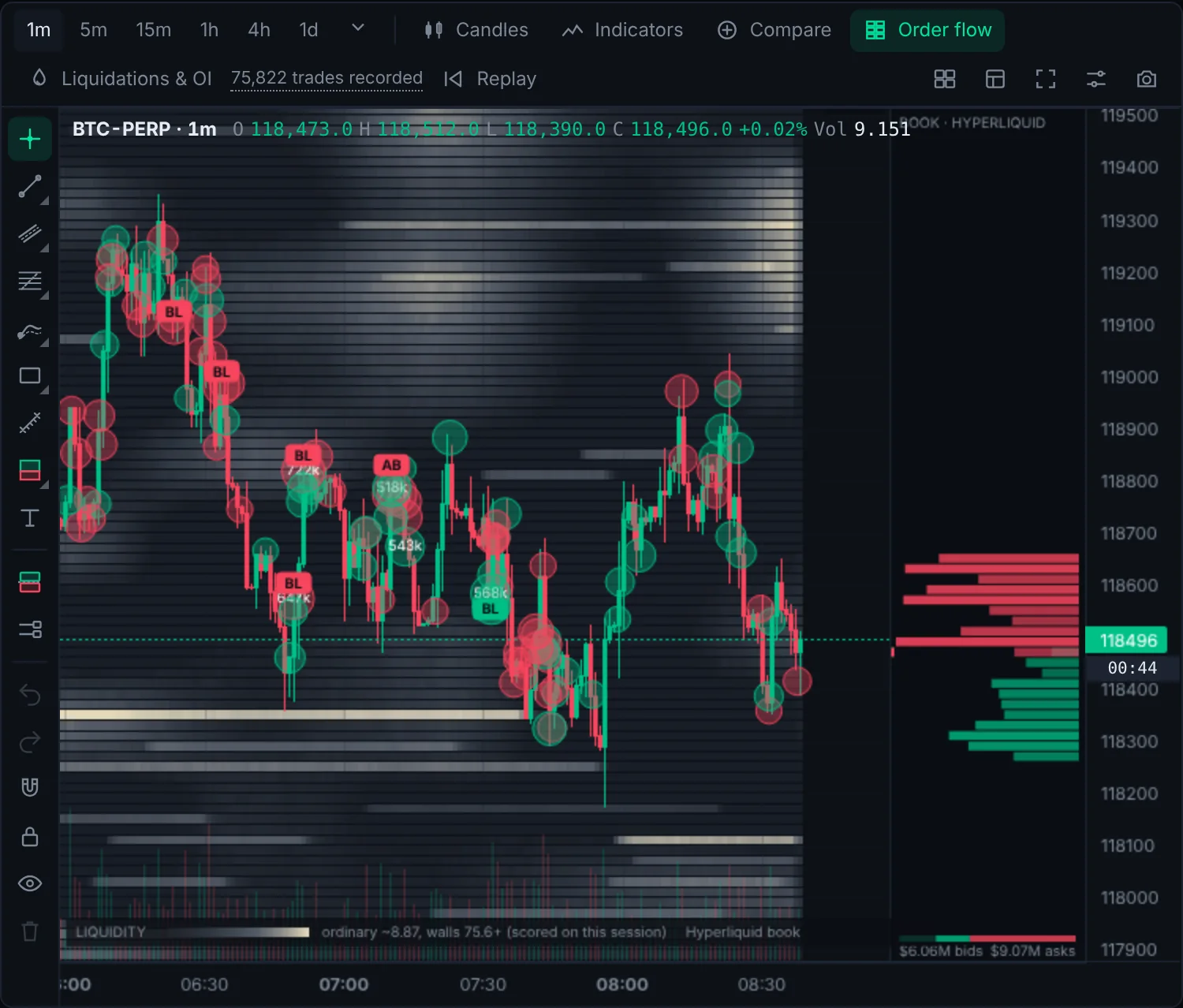
Watch the walls before price gets there.
Resting orders are painted behind the chart, so you see where buyers and sellers are waiting, where they pull, and where price is likely to stall.
- Full order book history drawn as a heatmap
- Trade bubbles sized by volume, coloured by side
- Add Binance, Bybit and OKX trades for a fuller picture
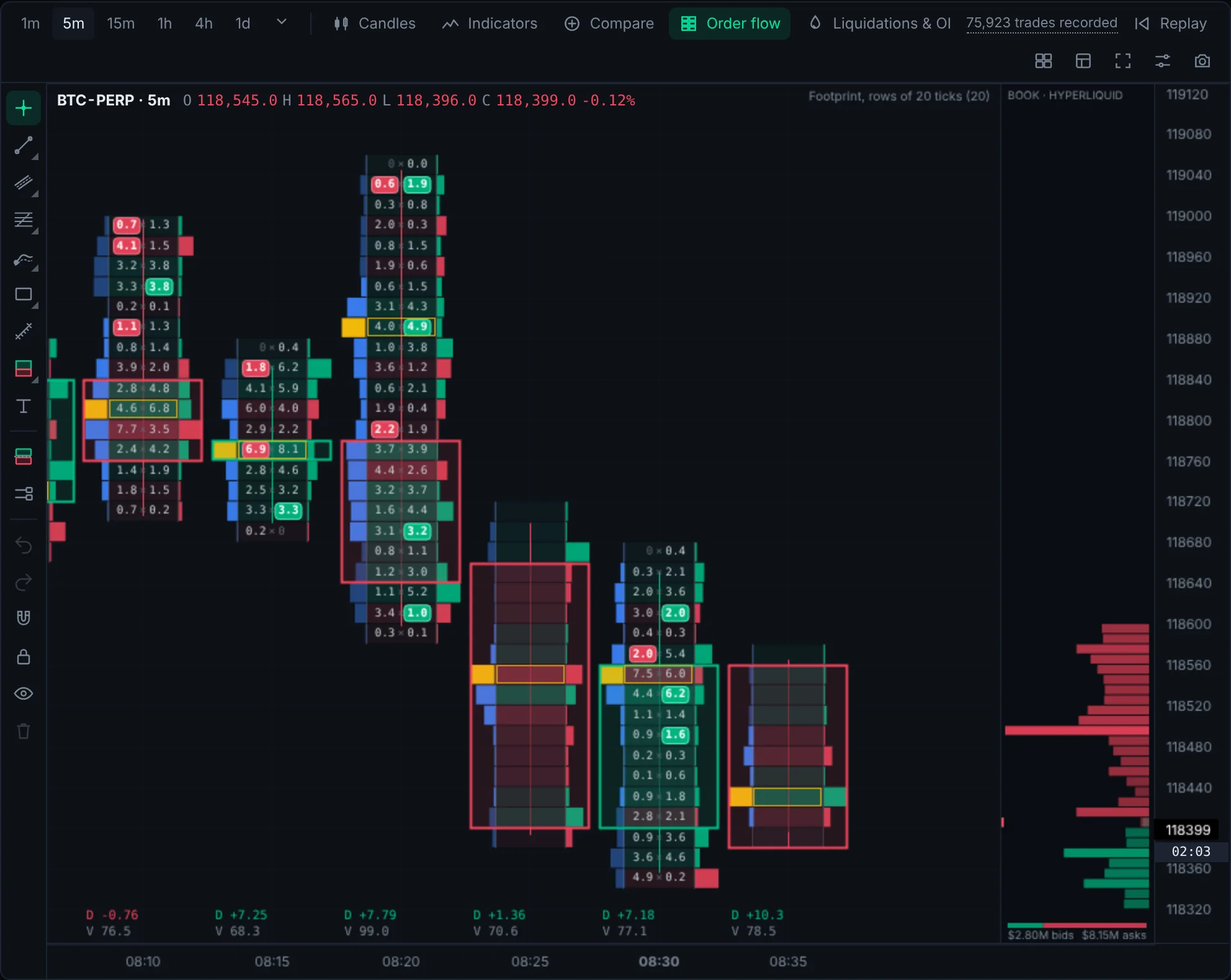
Know who's in control, inside each bar.
Footprint candles split every bar into bid and ask volume at each price. Spot absorption, exhaustion and imbalance as they happen.
- Bid × ask volume at every price level
- Delta, cumulative delta and volume profile
- Pick your own row size and timeframe
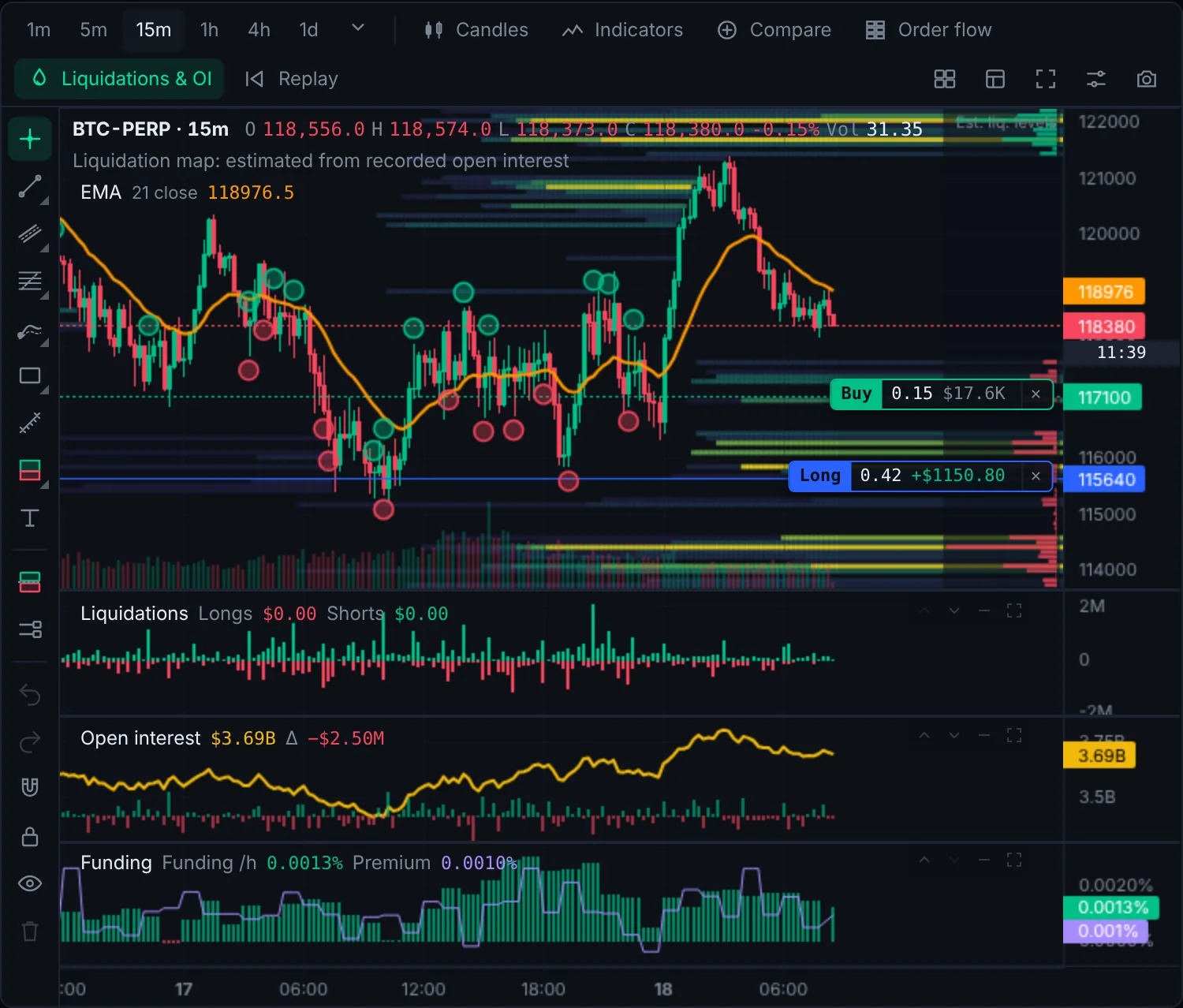
Liquidations, open interest and funding on the chart.
Perps move on leverage. See where traders are getting liquidated, whether positions are building or closing, and what longs are paying shorts, all lined up with price.
- Liquidation bubbles, liquidation pane and liquidation map
- Open interest and open interest change
- Funding rate and premium
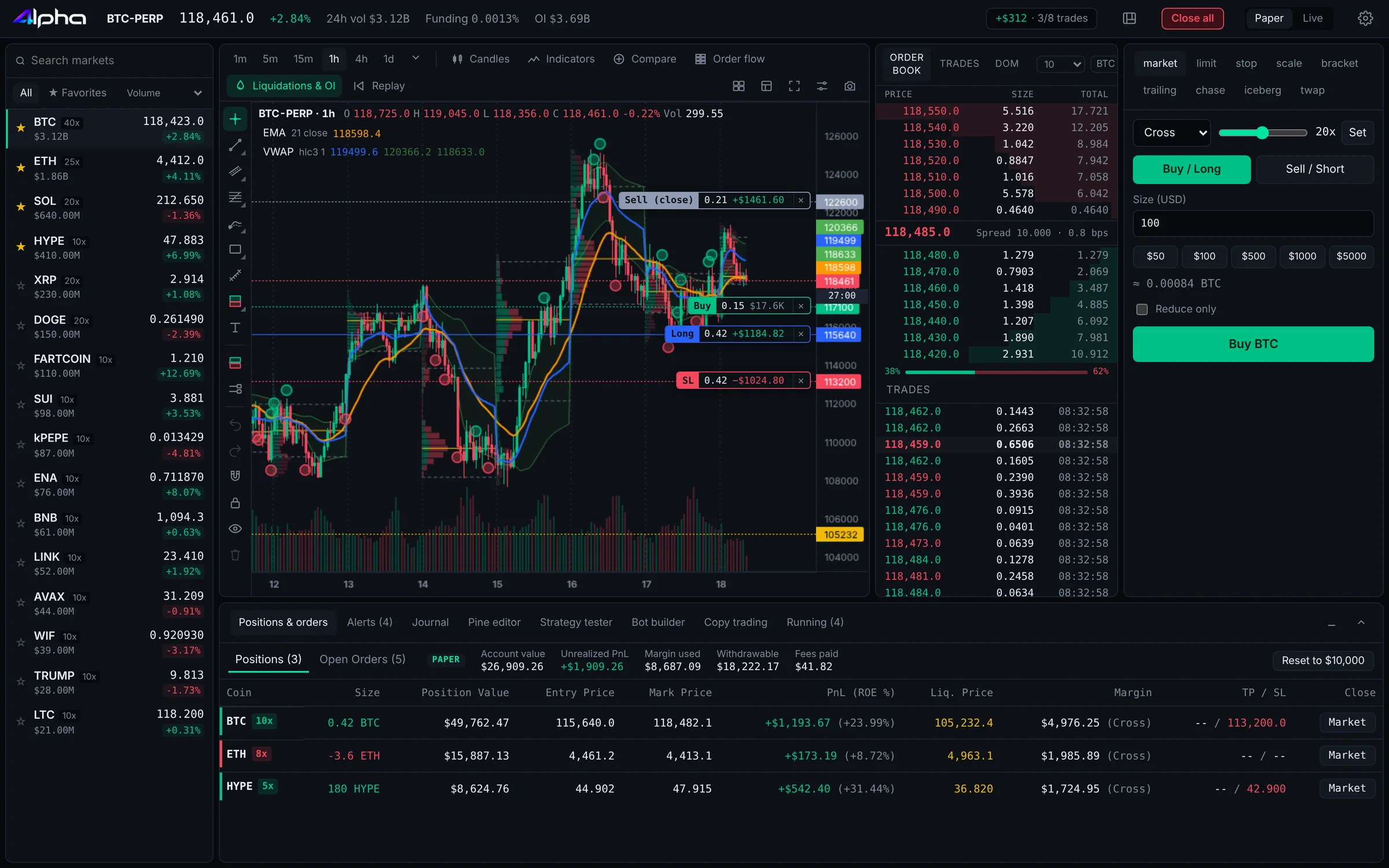
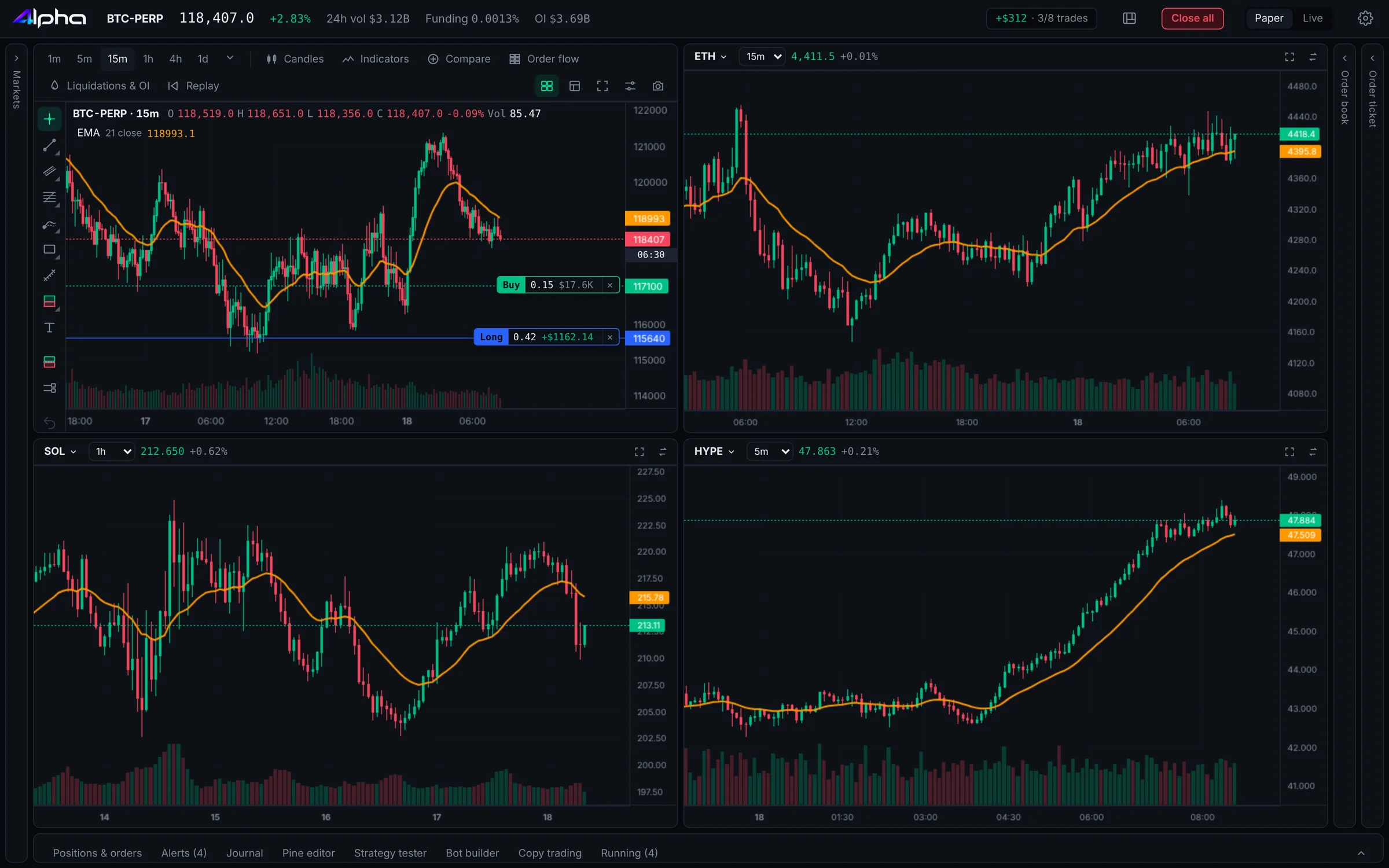
From idea to order in one drag.
Set your risk once. 4lpha works out the size, places the stop and target, and lets you move everything right on the chart.
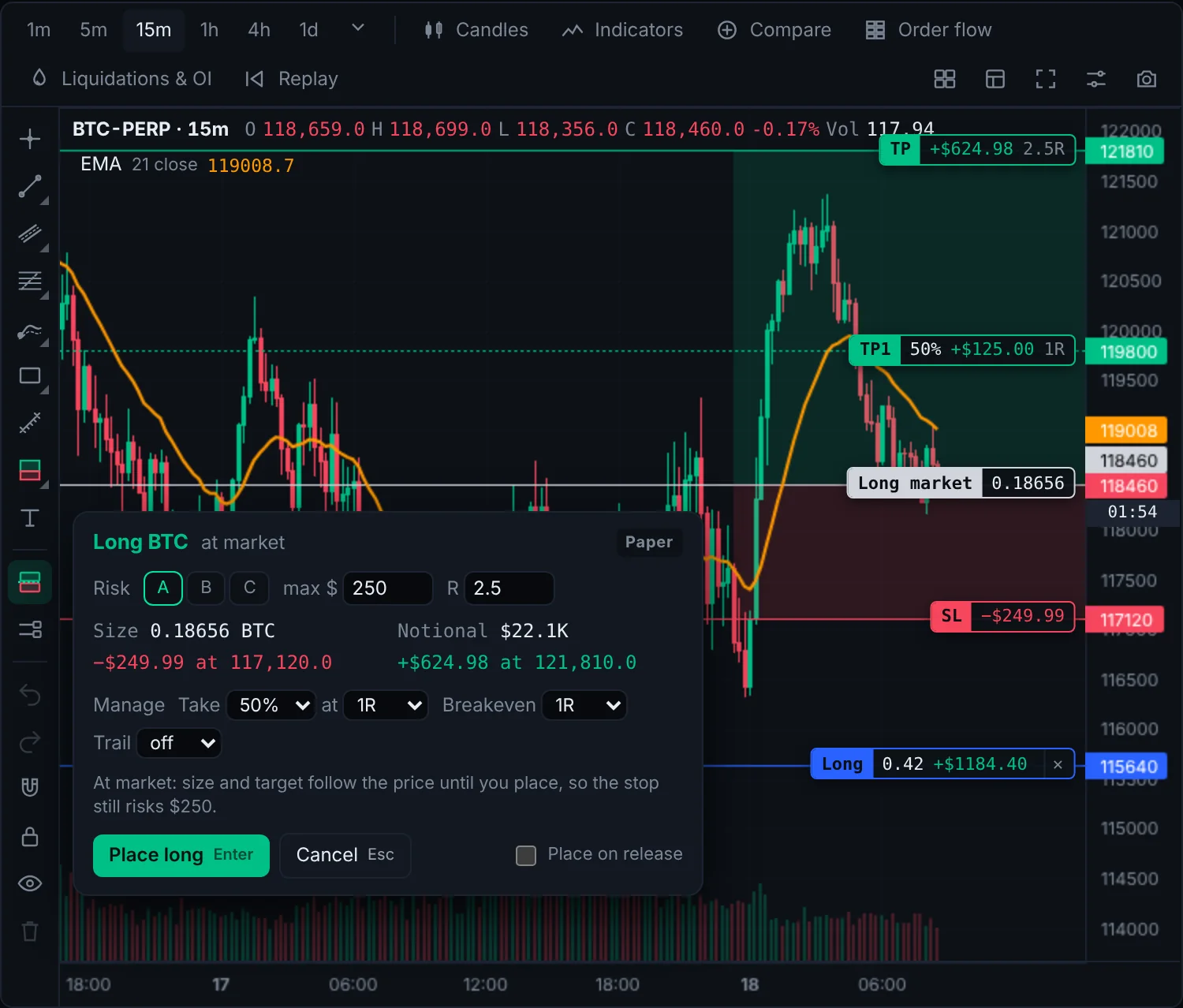
Drag your entry and stop. The size is done for you.
Click trade, drag from entry to stop, and 4lpha sizes the position from the dollars you're willing to lose, with a take profit at your reward-to-risk ratio.
- Position size from fixed dollar risk
- Take profit placed at your R:R
- Drag position, stop and order lines to change them
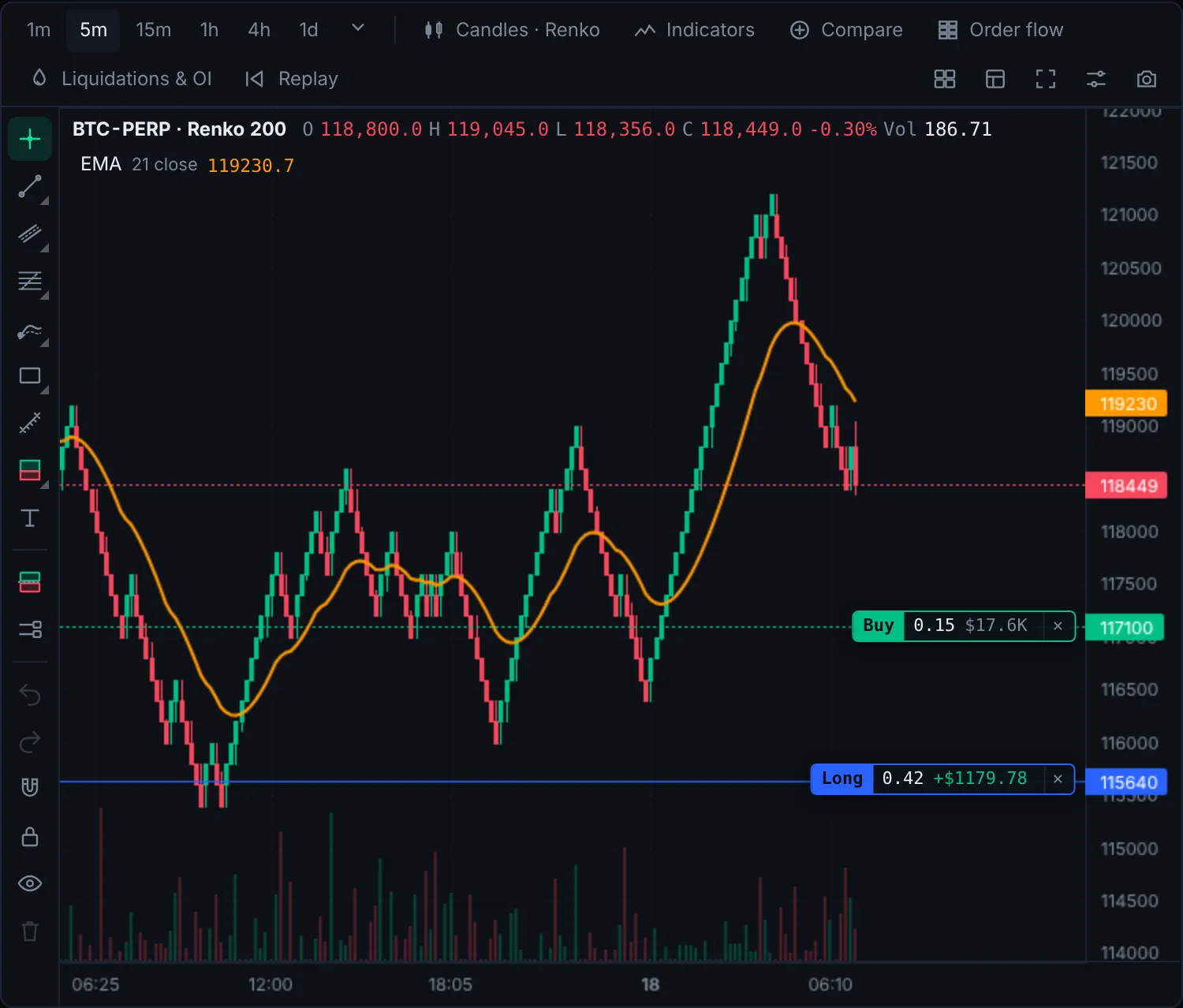
Every order type a scalper needs.
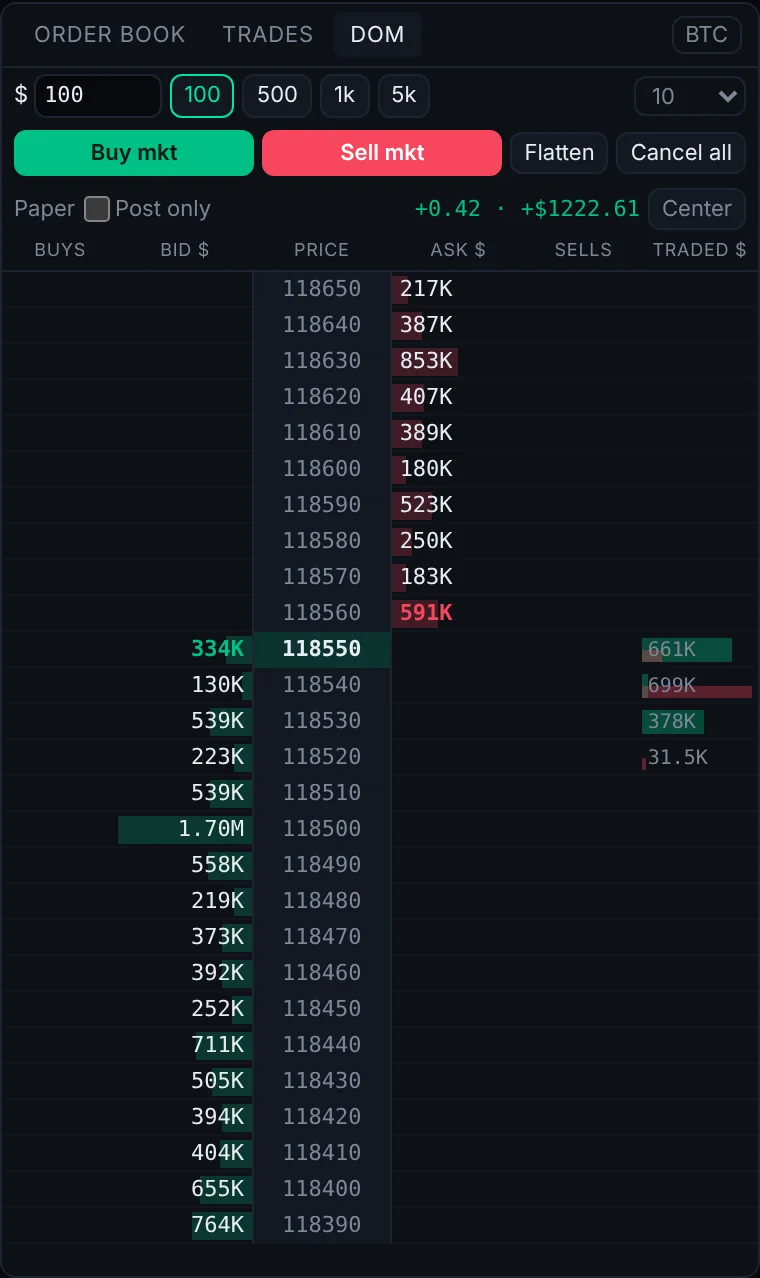
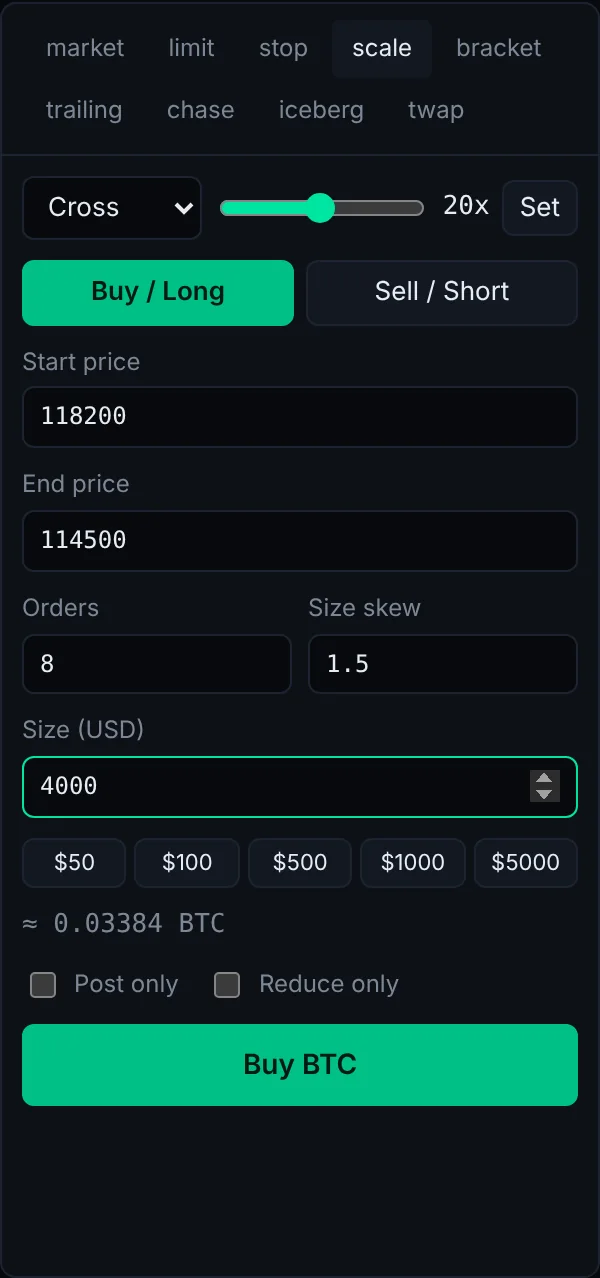
Click to trade on the price ladder, or build exactly the order you want in the ticket. Big orders can be split, hidden or worked over time.
Let the good traders and your rules do the work.
Copy proven wallets, run bots around the clock, and test any strategy on history before you trust it with money.
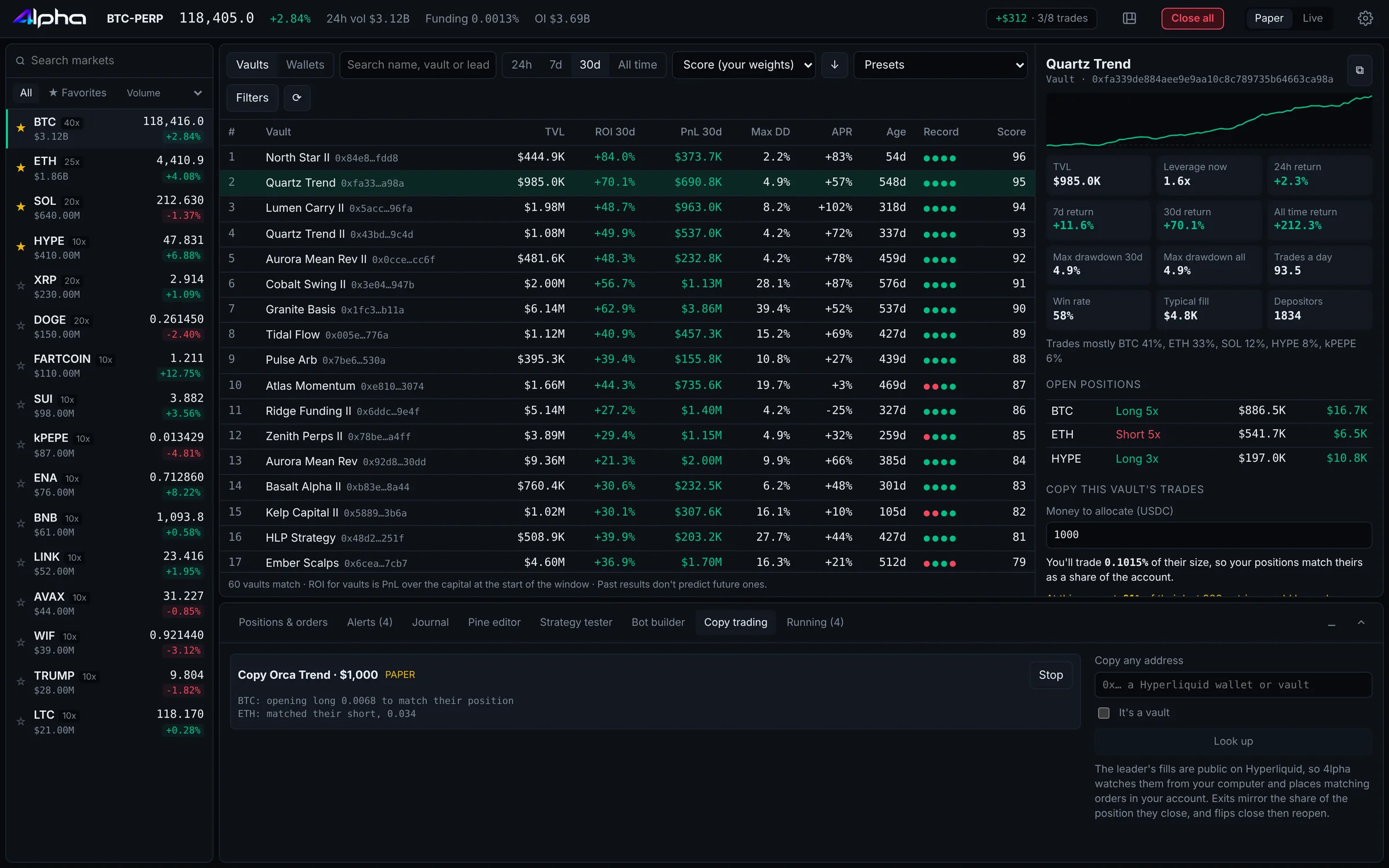
Follow the best wallets and vaults on Hyperliquid.
4lpha ranks traders by a score that weighs returns against drawdown and consistency. Open any of them to see their equity curve and live positions, then copy with your own limits.
- Filter by ROI, PnL, drawdown, age and volume
- Set how much to allocate and the max per order
- Slippage and coin filters, or copy any address
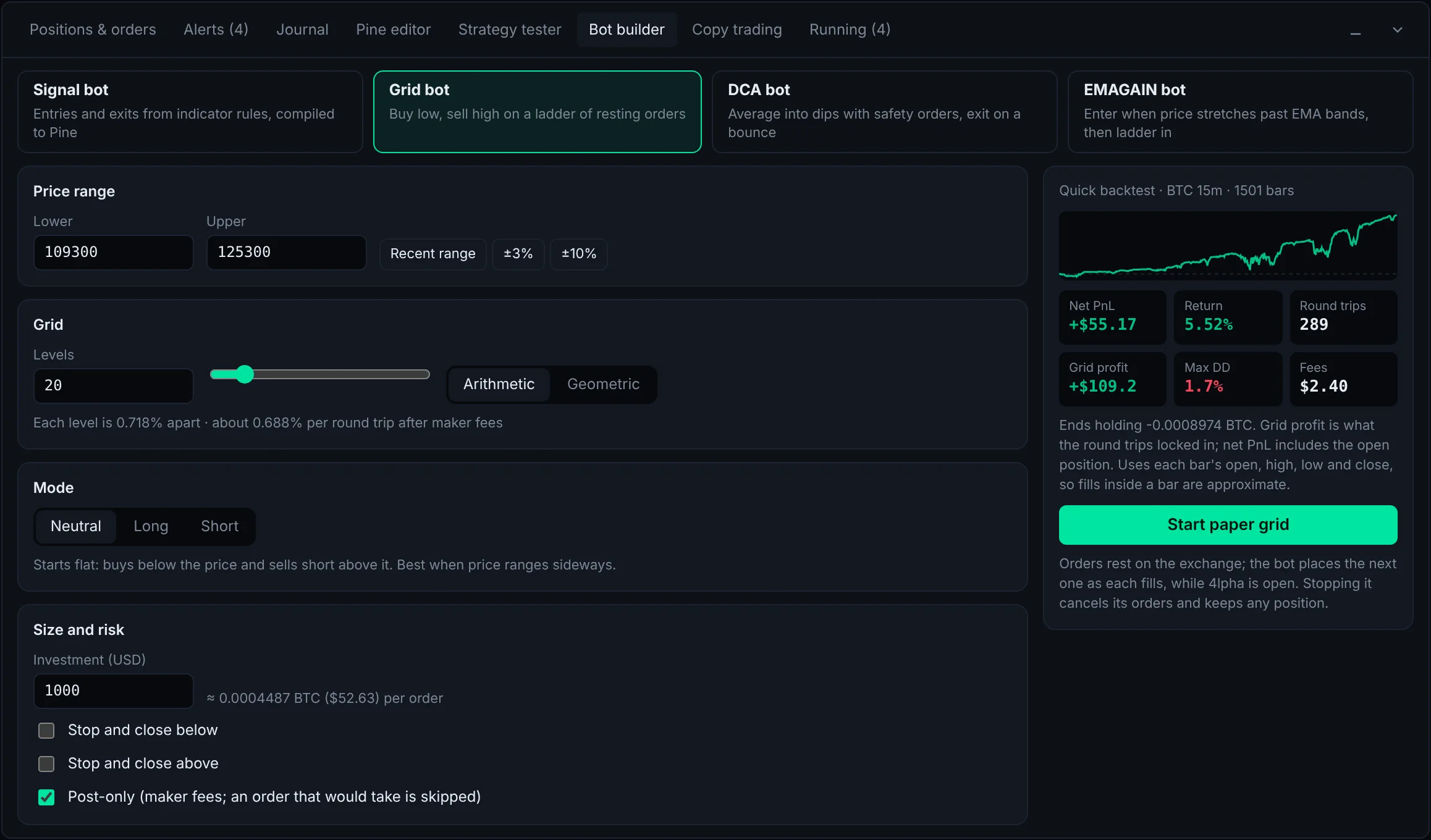
Bots that trade your plan while you sleep.
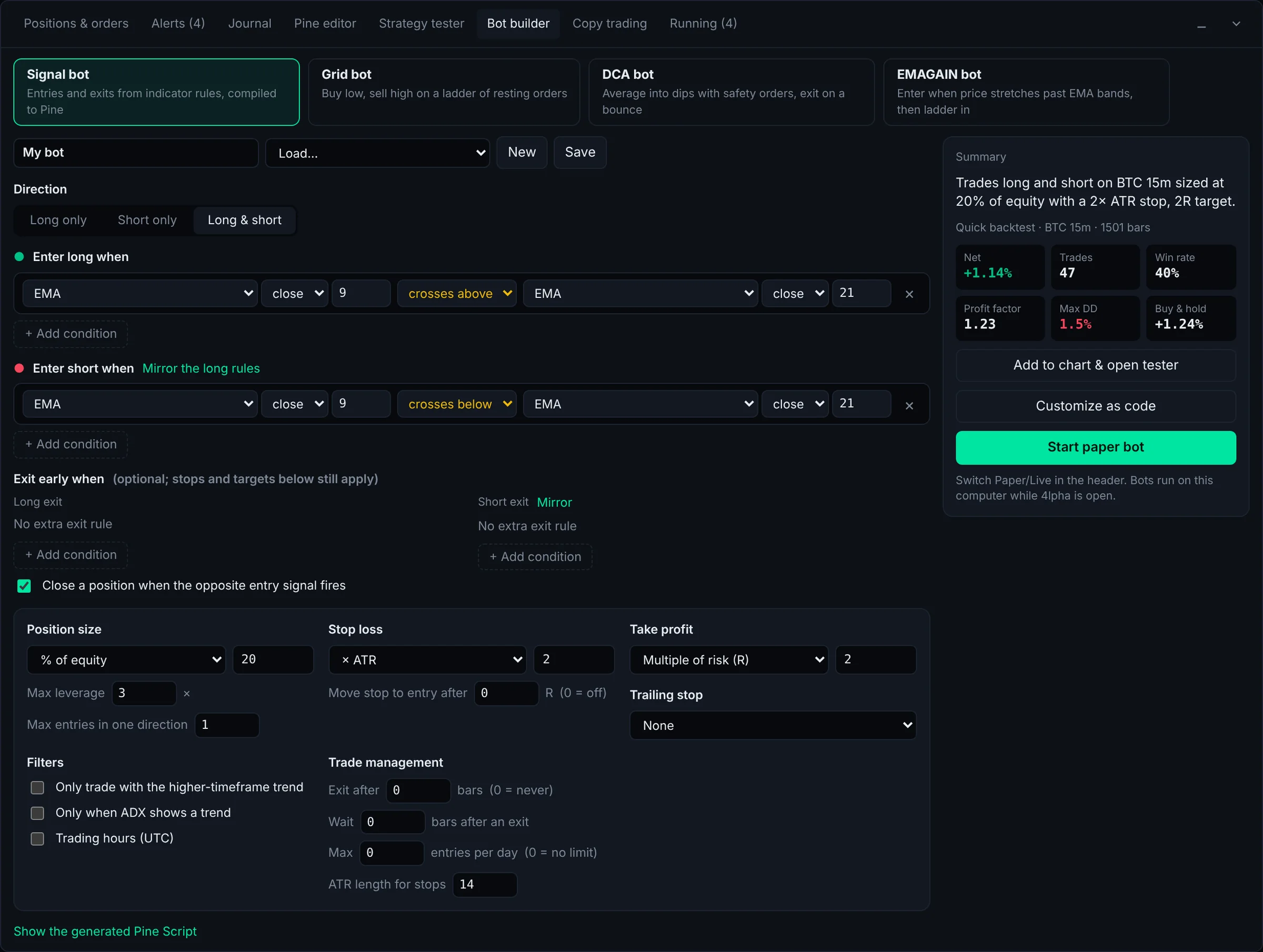
Build a grid or a signal bot in a few clicks. Signal bots enter and exit on conditions you set from price and any indicator, with stops and targets built in.
- Grid, signal, DCA and EMAGAIN bots
- TWAP and trailing stops run in the background
- Try every bot on the paper account first
Know if it works before it costs you.
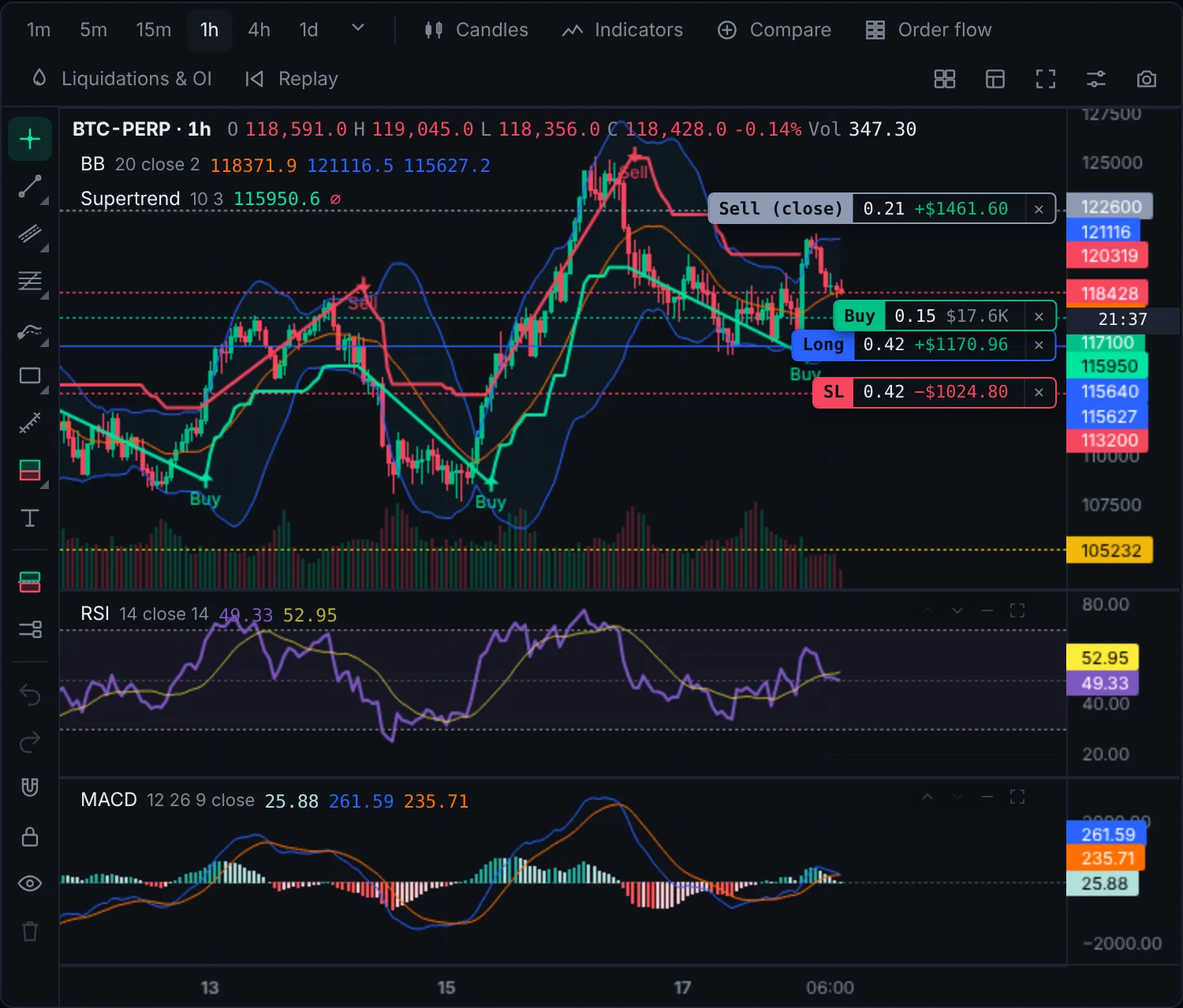
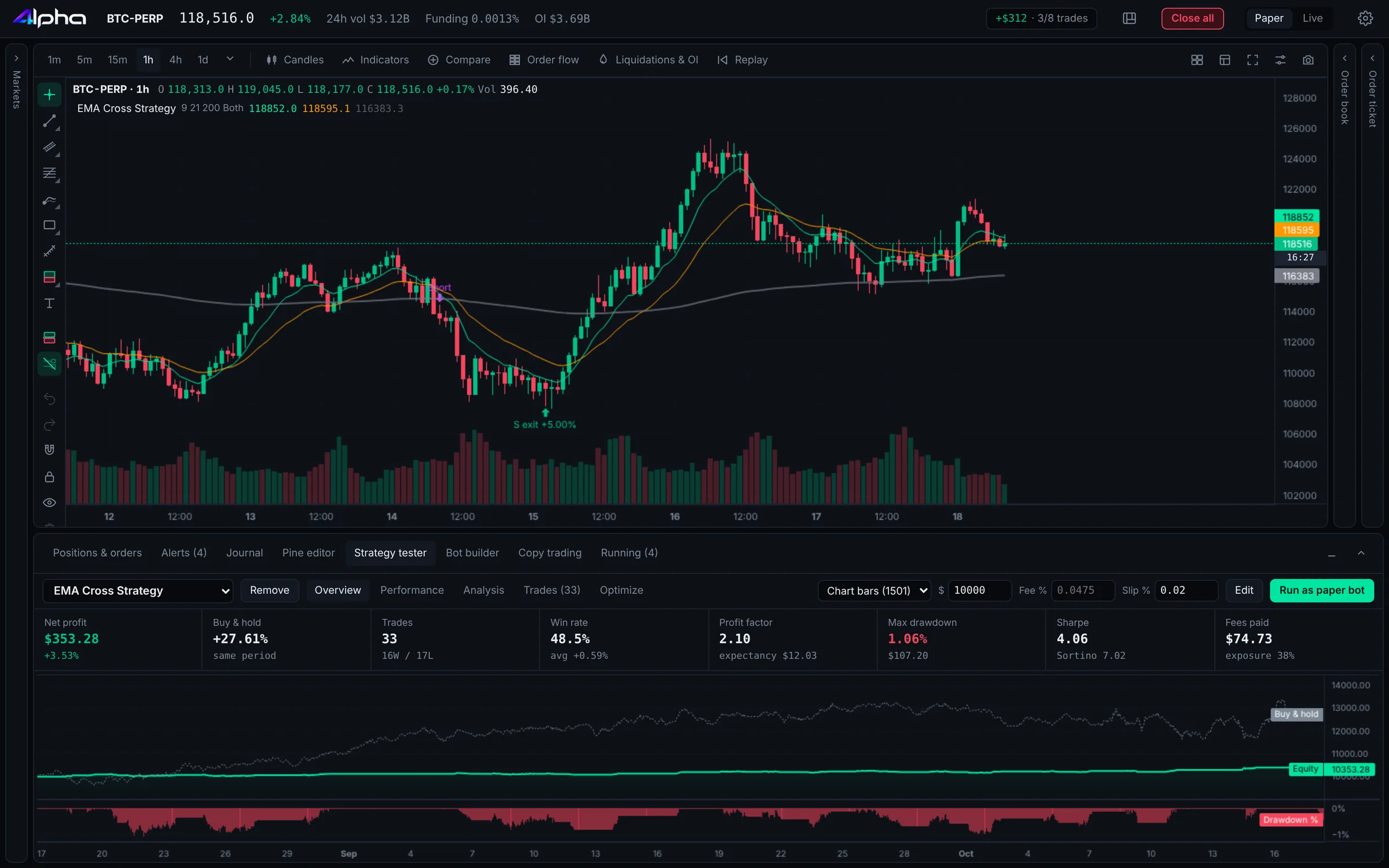
Run any Pine strategy over history and get the full report: net profit, win rate, profit factor, drawdown and every trade on the chart. Then let the optimiser find better settings.
- Equity curve, stats and trade list
- Fees and slippage included
- Parameter optimiser
Put Claude on your desk. You keep the final say.
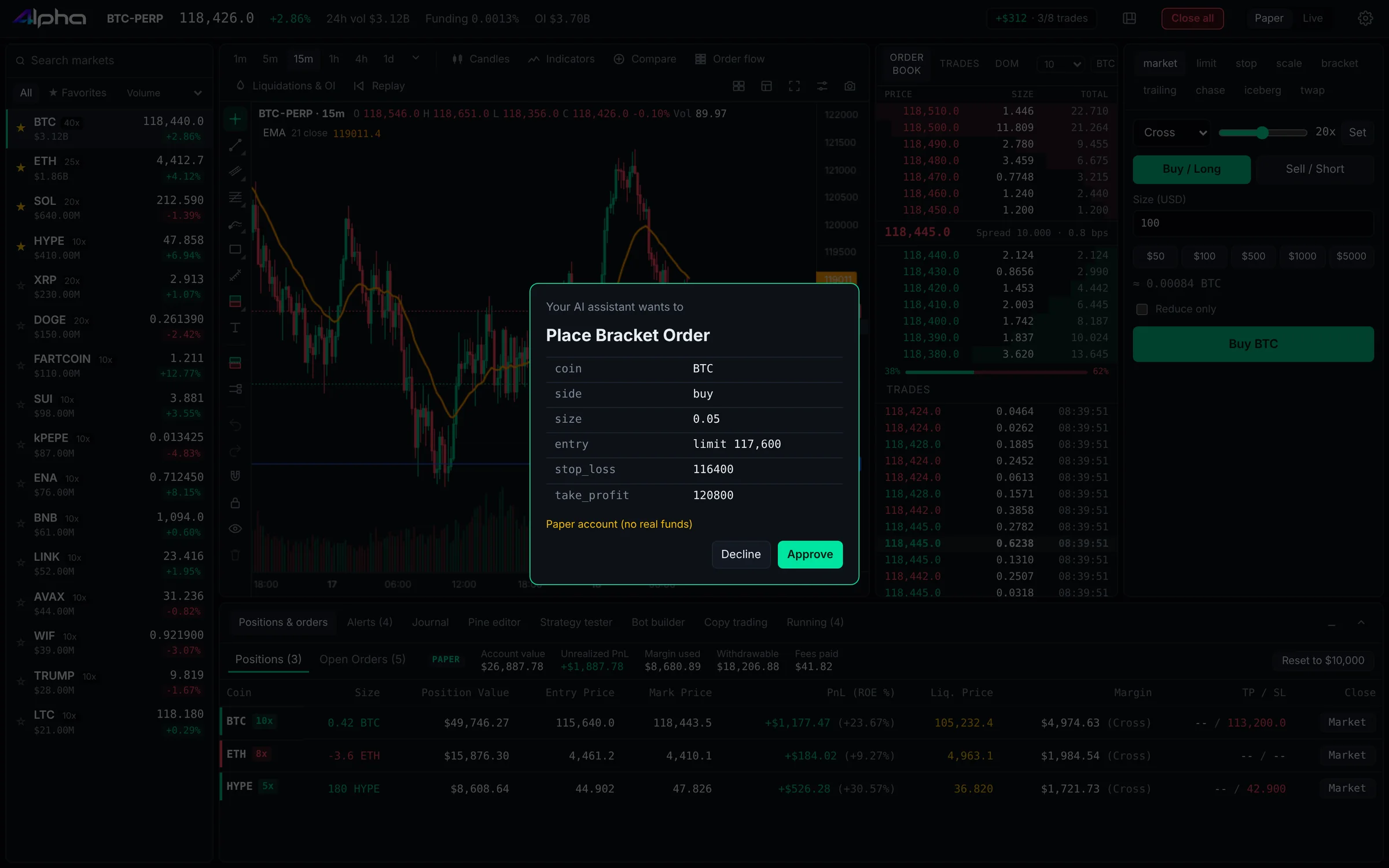
Connect Claude and ask it to read the market, run a backtest or set up a trade. Every order it wants to place shows up for you to approve, and 4lpha enforces your limits, not the AI.
- Works with Claude Desktop and Claude Code
- Approve each trade, or allow small ones within your limits
- Send AI trades to the paper account
Get better every week, and never miss a move.
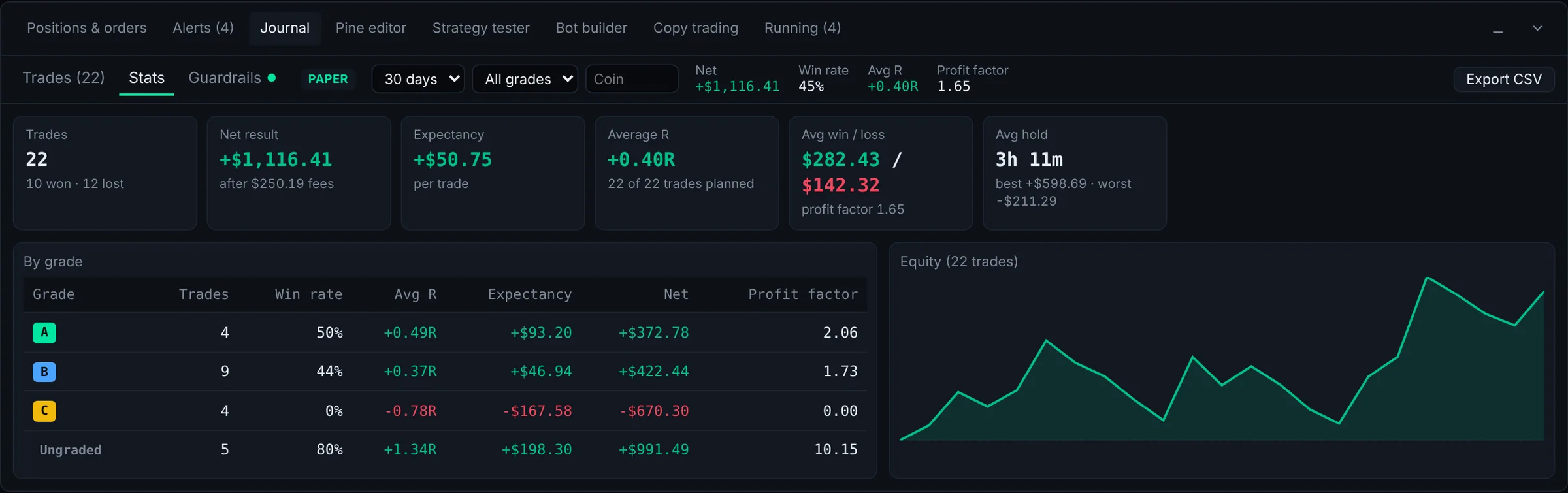
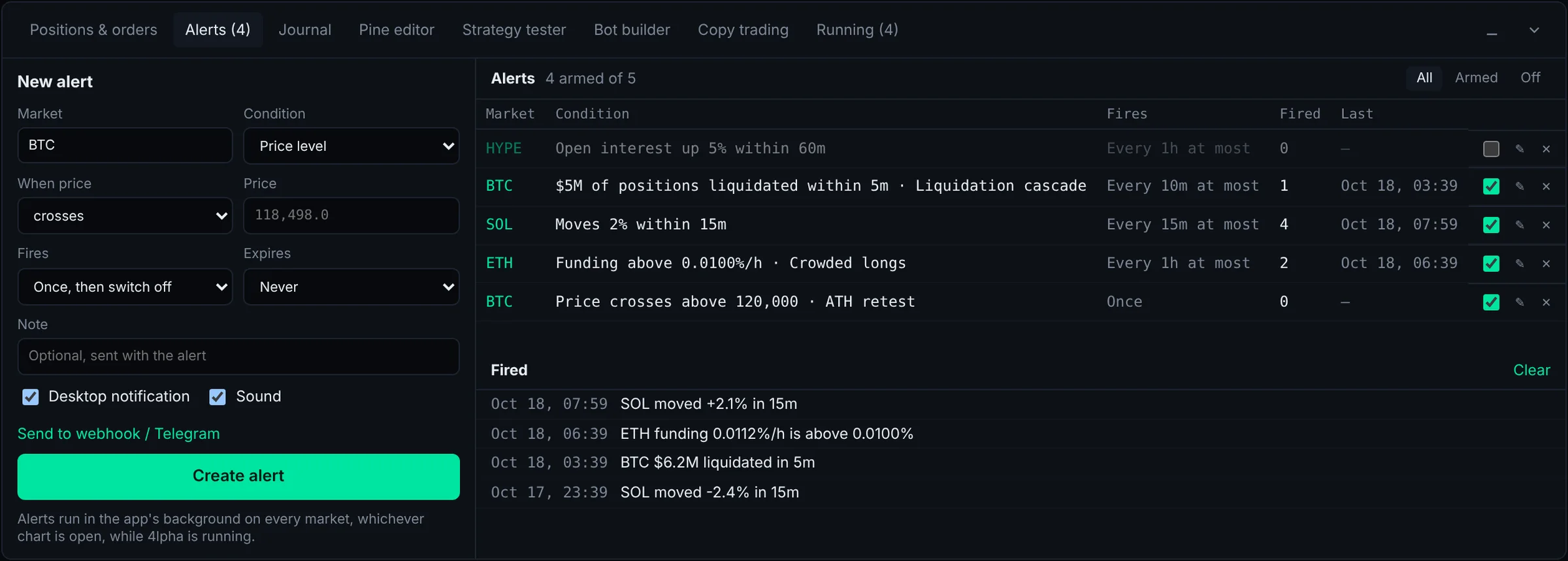
Every trade lands in your journal with stats that show what's working. Discipline rules stop you for the day after too many losses. Alerts reach you wherever you are.
- Win rate, expectancy and PnL by market and day
- Daily loss stop, max trades and cool-down breaks
- Price, indicator, funding and liquidation alerts, sent to Telegram or a webhook
Start on paper. Go live when you're sure.
4lpha is a very early build. It's packed with features, and some of them will have bugs. Orders, bots and copy trading all run on the built-in paper account with live market prices, so you can learn the app and prove your strategy without risking a cent.
Get the free download- Download and open 4lphaNo account, no card, no sign-up.
- Trade on paperLive Hyperliquid prices with a simulated balance. Test orders, bots and copy trading.
- Go live with small sizeConnect a Hyperliquid API wallet and set your risk limits first.
Your keys stay on your computer.
4lpha is a desktop app, not a website holding your funds. Your money stays in your own Hyperliquid account.
4lpha trades through a Hyperliquid API wallet. API wallets can place orders but can never move money out of your account.
Your API wallet key is kept in Windows Credential Manager, macOS Keychain or your Linux keyring. Never on our servers.
Set a max order size, max position, max open orders and a daily loss limit. 4lpha checks every live order against them before it's sent.
Free for Windows, macOS and Linux.
Version 0.1.0. We've highlighted the best match for your computer.
Questions, answered.
Is 4lpha really free?
Yes. The download is free, paper trading is free, and every feature is unlocked. There's no subscription. When you place live orders, 4lpha adds a small 0.025% builder fee through Hyperliquid's builder codes, on top of Hyperliquid's normal trading fee. Paper trades cost nothing.
How early is this build?
Very early. Expect rough edges and the occasional bug. Please use the paper account until you're comfortable, and when you do go live, start small and set your risk limits in Settings.
Which exchange does it trade on?
Hyperliquid perpetuals. Your funds stay in your own Hyperliquid account, and 4lpha places orders for you through an API wallet that can trade but can't withdraw.
Do I need an account to try it?
No. Open the app and you're straight into live charts and the paper account. You only connect a Hyperliquid API wallet when you want to trade for real.
Windows or macOS says the app is from an unknown developer.
Early builds may not be code-signed yet. On Windows, click "More info" then "Run anyway". On macOS, open System Settings → Privacy & Security and click "Open Anyway", or right-click the app and choose Open.
Which Mac download do I need?
Open the Apple menu and choose About This Mac. If it lists an Apple chip (M1, M2, M3, M4 or newer), choose Apple Silicon. If it lists an Intel processor, choose Intel.
Can I use my TradingView scripts?
4lpha runs Pine Script, so many TradingView indicators and strategies can be pasted straight in. Scripts that use features 4lpha doesn't support yet will show an error explaining what's missing.